






Maximize Safety with Teen Driver Mode: A Guide for Parents
As a parent, one of the most nerve-wracking experiences is handing over the keys to your teenager for the first time. The anxiety about their safety and responsible driving is natural. Fortunately, Chevy has developed a cutting-edge feature known as Chevy Teen Driver Technology to help parents like you monitor and guide their teens toward safe driving habits. This guide will walk you through the key features, benefits, and how to make the most of this technology for peace of mind. Keep reading and head to Preston Chevrolet of Aberdeen to browse the latest Chevrolet vehicles equipped with Chevy Teen Driver Technology!

Understanding Teen Driver Technology
Chevy Teen Driver technology is a revolutionary safety feature offered by Chevrolet, designed specifically to help parents track and influence their teen’s driving behavior. With this tool, you can set various controls to minimize risky driving habits and encourage better decision-making on the road. Whether it’s limiting speed, controlling the volume of the radio, or tracking key driving metrics, Chevy Teen Driver technology provides valuable insights that can help you steer your teen toward becoming a responsible driver. Teen Driver technology is available on a wide range of Chevrolet vehicles and gives parents more control over their teenager’s driving experience, fostering better habits and enhancing safety.
Key Features and Benefits
Chevy Teen Driver Technology is packed with innovative features designed to promote safety and responsible driving. Here are some key highlights:
- Sound System Volume Control: This feature limits the radio volume, preventing teens from getting distracted by loud music while driving.
- Speed Control with Alerts: Teen drivers receive alerts if they exceed the speed limit, helping them avoid speeding — one of the most common dangerous driving habits among teens.
- Safety System Activation Recording: This system logs any events triggered by the vehicle’s safety features, such as forward collision alerts or automatic braking, so parents can review driving behaviors and improve safety.
- Over-Speed Warnings: If the teen driver exceeds a preset speed, the system provides a warning, alerting them to slow down.
- Radio Mute Until Seatbelts Are Buckled: This feature mutes the radio until all front-seat occupants have their seatbelts fastened, ensuring a focus on safety before hitting the road.
- Safety Feature Lock: In certain Chevy models, you can prevent the driver from turning off critical safety systems, such as the forward collision warning system, ensuring they remain active at all times.
In-Vehicle Report Card
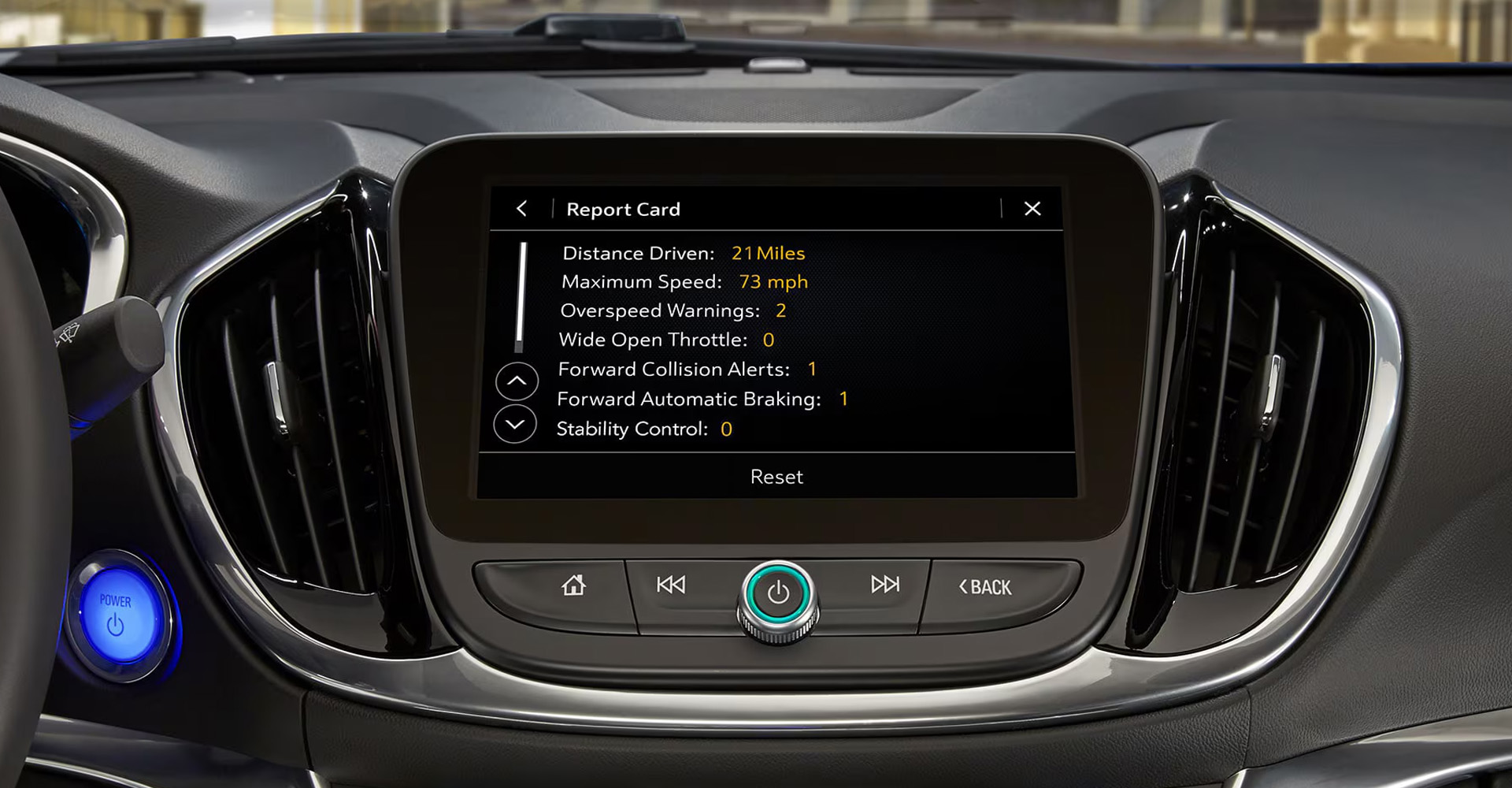
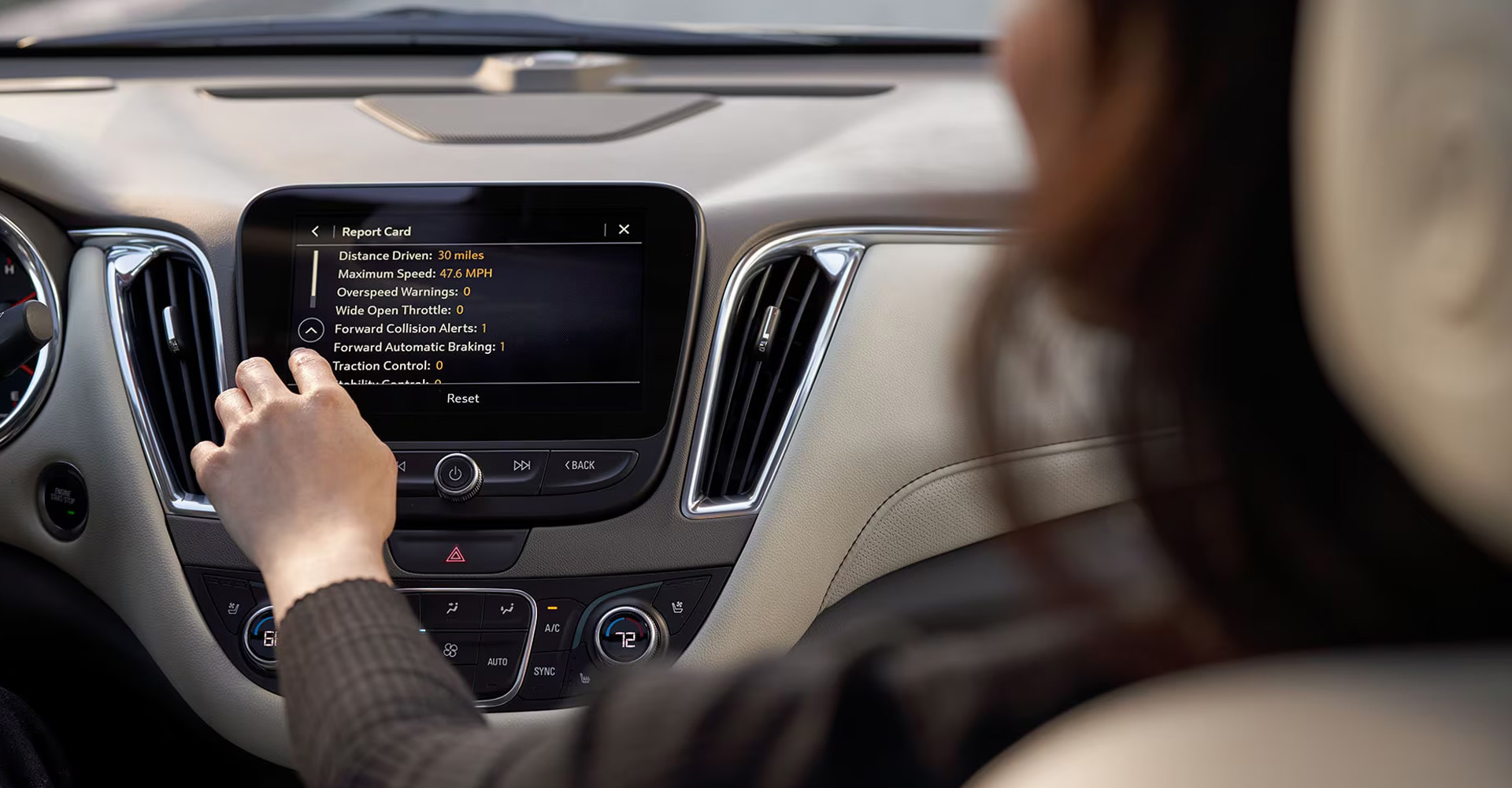
Chevy Teen Driver Technology offers the industry’s first in-vehicle report card, giving parents detailed insights into their teen’s driving behavior. The report card tracks:
- Total distance driven
- Maximum speed reached
- Stability control events
- Antilock brake events
- Forward Collision Alerts
- Forward Collision Avoidance Braking events
Optional Features: Enhancing the Safety Experience
- Buckle to Drive: This groundbreaking feature helps ensure that teens remember to buckle up. If the driver or front-seat passenger hasn’t fastened their seatbelt, they can’t shift out of park for 20 seconds, accompanied by both audible and visual alerts. This simple but effective feature promotes seatbelt use, reducing the risk of injury in an accident.
- SiriusXM® Station Filter: For added peace of mind, this feature restricts access to explicit content on the vehicle’s SiriusXM Radio (if equipped and with an active subscription). It’s a great way to ensure that teens are exposed to safe and appropriate media while driving.
Using Teen Driver Technology Effectively
To get the most out of Chevy Teen Driver Technology, follow these steps:
- Set Limits: Configure the settings to limit the audio system’s volume, set speed warnings, and activate the speed limiter. By setting these boundaries, you can ensure your teen is driving responsibly.
- Monitor Driving Behavior: Use the in-vehicle report card to review key driving metrics like speed, braking behavior, and safety system activations. This helps you pinpoint areas that need improvement.
- Set Goals: Encourage better driving habits by setting clear goals. For example, you can reward your teen for safe driving, such as staying within speed limits or driving a certain distance without triggering any safety events.
- Review and Discuss: Review the report card with your teen and discuss any concerns or improvements that can be made. This helps foster communication and accountability.
Configurable Settings
If equipped, the following settings can be customized to promote safe driving:
- Audio Volume Limit: Set a maximum volume for the vehicle’s audio system to prevent distractions.
- Speed Warning: Choose a speed warning range between 40 MPH and 75 MPH. An audible chime and a message on the Driver Information Center (DIC) will alert your teen if they exceed the limit.
- Speed Limiters for Teenage Drivers: Set a maximum speed limit of 85 MPH. On certain vehicles, the speed limiter also restricts the vehicle’s acceleration, ensuring that the vehicle doesn’t exceed the set speed.
- Buckle to Drive: This safety feature prevents the driver from shifting out of park until the seatbelt is fastened. For certain vehicles, this is always on when Teen Driver is active.
Getting Started with a Safer Driving Experience
To begin using Chevy Teen Driver Technology:
- Buckle Up: Make sure all passengers are wearing their seatbelts before starting the vehicle.
- Activate Teen Driver Technology: Wait for the technology to engage as you start the vehicle. Ensure you’ve entered the PIN to access the settings.
- Drive Safely: Always follow traffic laws and drive responsibly. Encourage your teen to make safe driving a habit.
- Review Regularly: Take a moment to check the in-vehicle report card after each drive and discuss any areas for improvement with your teen.
- Stay Informed: Visit the official Chevrolet website to stay up to date on Chevy Teen Driver Technology and other available safety features.
Standard Chevrolet Safety
Chevy Safety Assist is an essential toolkit designed to give parents and teen drivers greater peace of mind. This suite of six safety features works together to boost confidence and reduce risks for young drivers still getting the hang of the road. Automatic Emergency Braking helps prevent or reduce the severity of a front-end collision, while Front Pedestrian Braking can help avoid accidents involving pedestrians—something especially important in busy, unpredictable environments. Lane Keep Assist gently steers the vehicle back into its lane if the driver drifts unintentionally, which can help prevent accidents caused by distraction or inexperience. Forward Collision Alert gives timely warnings about potential collisions, encouraging teens to react quickly and avoid danger. The Following Distance Indicator ensures that your teen maintains a safe distance from other vehicles, a key habit to develop early on, while IntelliBeam® automatically adjusts the high beams to ensure optimal visibility without blinding other drivers. These features combine to create a safer driving experience, giving teen drivers and their parents confidence every time they hit the road.
Drive with Peace of Mind
By leveraging Chevy Teen Driver Technology, you can rest assured that your teen is safer on the road. This tool empowers parents to monitor their teen’s driving habits, set limits, and promote responsible driving, all while encouraging communication and coaching. With features like speed limiters for teenage drivers and the in-vehicle report card, Chevrolet safety takes teen driving to the next level. Keep your teen safe and set them up for success with Chevy Teen Driver technology today at Preston Chevrolet of Aberdeen!
Connect with us


